
 Back to Newsboard
While the option to link an order to a subcontractor certificate has always been available, it is now possible to enforce the creation of an order before a certificate can be generated.

To make the linking of an order to a subcontractor certificate mandatory click on Company (top ribbon) and select Company Defaults. Click on the Additional Settings tab and tick the Order Mandatory on Certificates tick box.
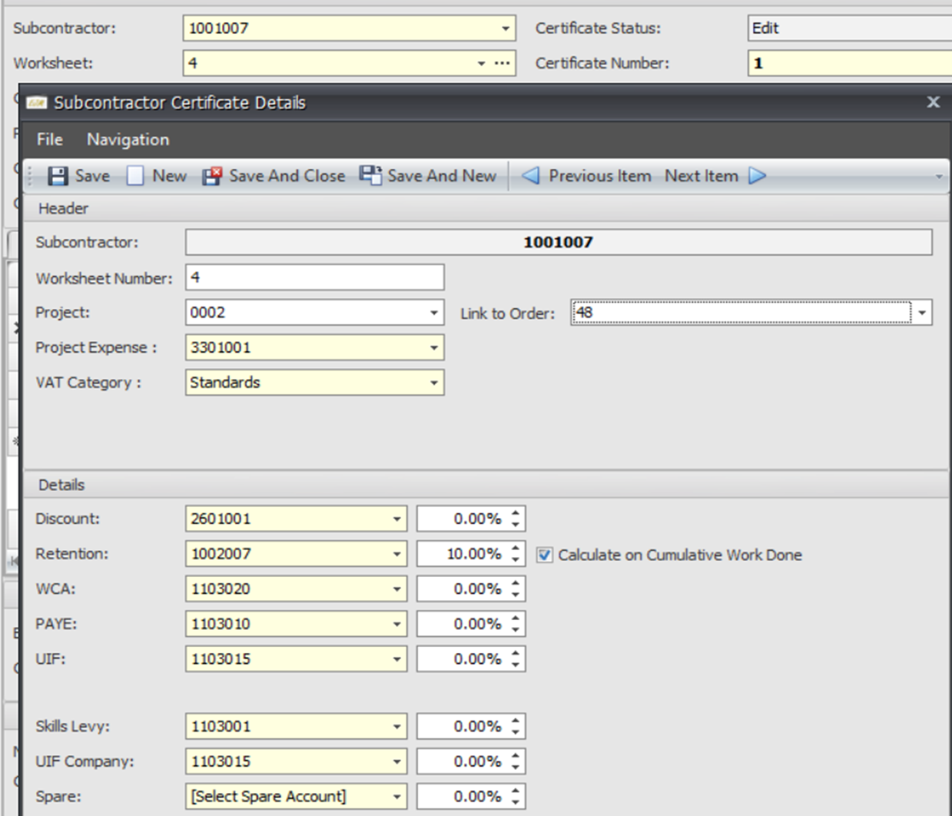
Once this box has been ticked, an order will need to be selected in the Link to order field when the worksheet is created for the subcontractor certificate.
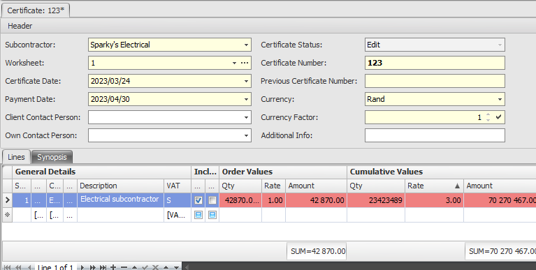
Should the cumulative value of the subcontractor certificate exceed the order value the certificate will be flagged and only those authorised to submit over order value will be able to post the certificate.
Should you have any questions about this feature, please get in touch. We'd be happy to assist.
.jpg)