
 Back to Newsboard
EJM offers a wide range of reports, and now it’s even easier to navigate them. Simply mark your favourite reports and filter your view to show only those you use most.
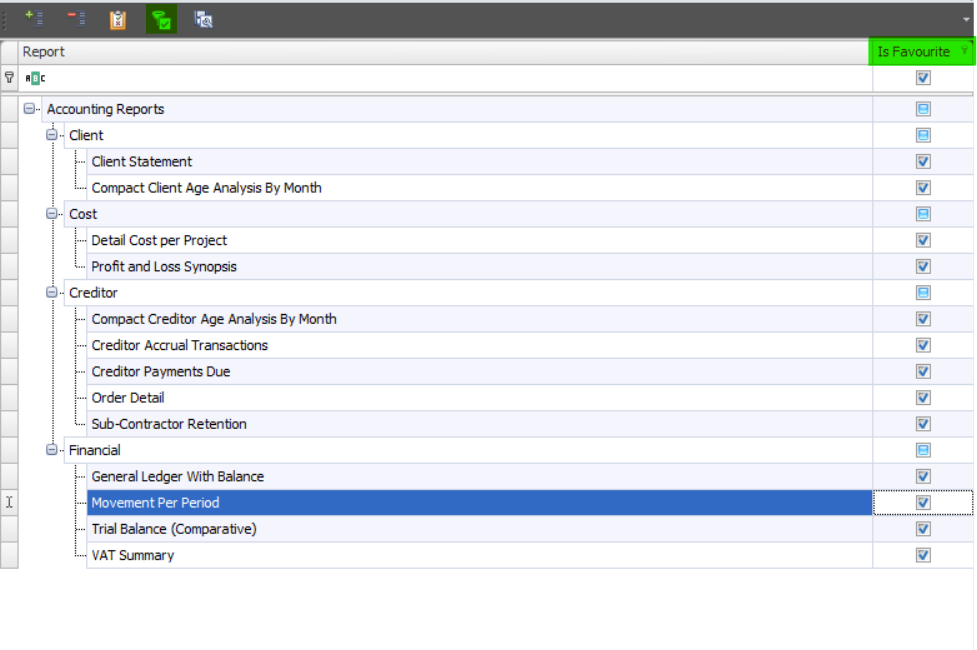
To mark a report as a Favourite, click on the desired report in the reports list and tick the Is Favourite tick box on the right hand side. To view only your favourite reports, click on the Favourites Filter icon. To display all reports again, click on the View All icon.
Should you have any questions about this feature, please get touch. We'd be happy to assist.
.jpg)