 Back to Newsboard
.jpg)
EJM Payroll is pleased to introduce the new Copy Payroll Functions Setup feature, designed to simplify payroll administration and improve efficiency across multiple companies and payrolls.
This enhancement allows users to copy payroll functions from one payroll to another, eliminating the need to manually create and configure functions each time a new payroll is set up.
Accessing the Feature
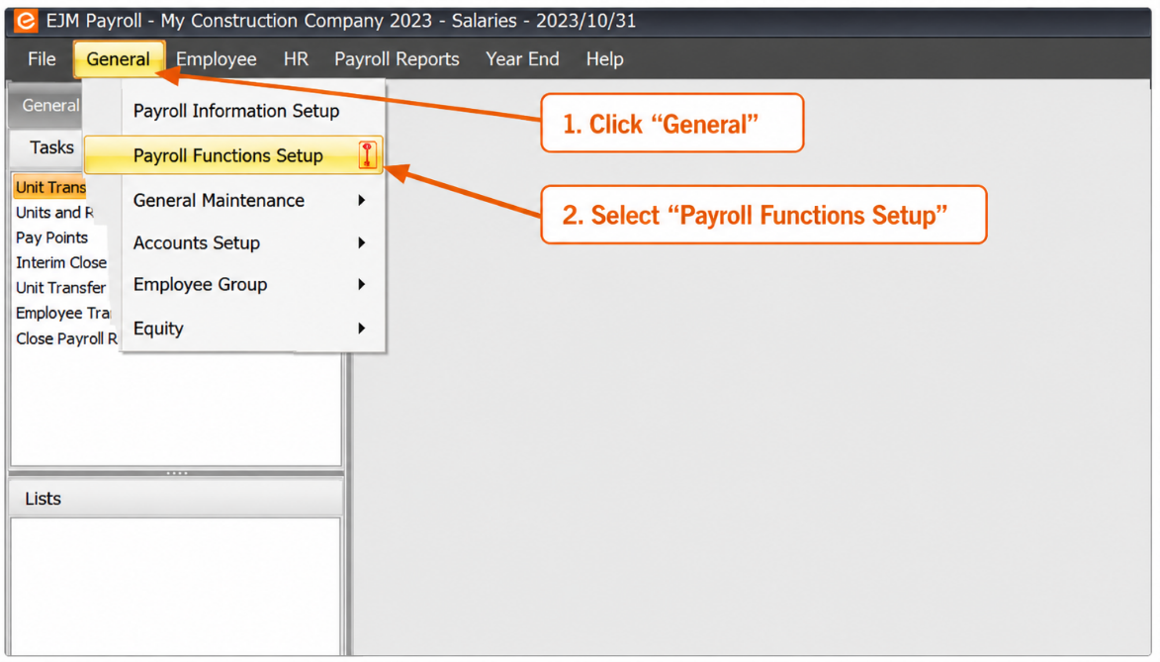
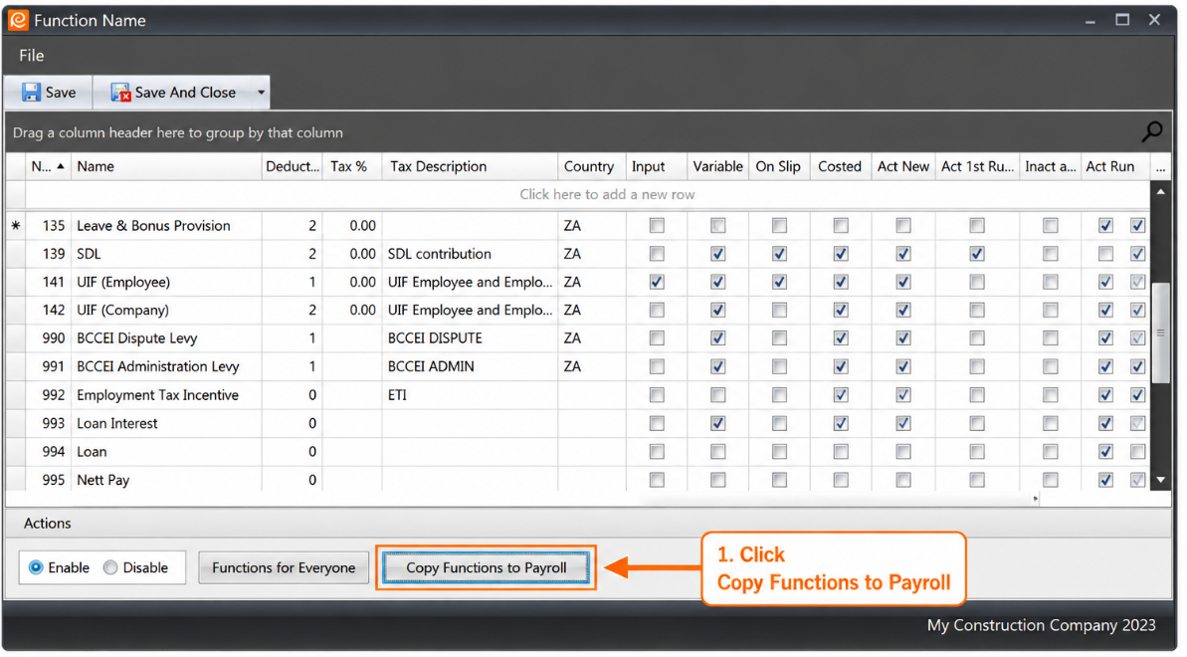
To access the feature, open Payroll, click on General, and select Payroll Functions Setup. Once the payroll functions screen opens, click the Copy Functions to Payroll button.
Copying Payroll Functions
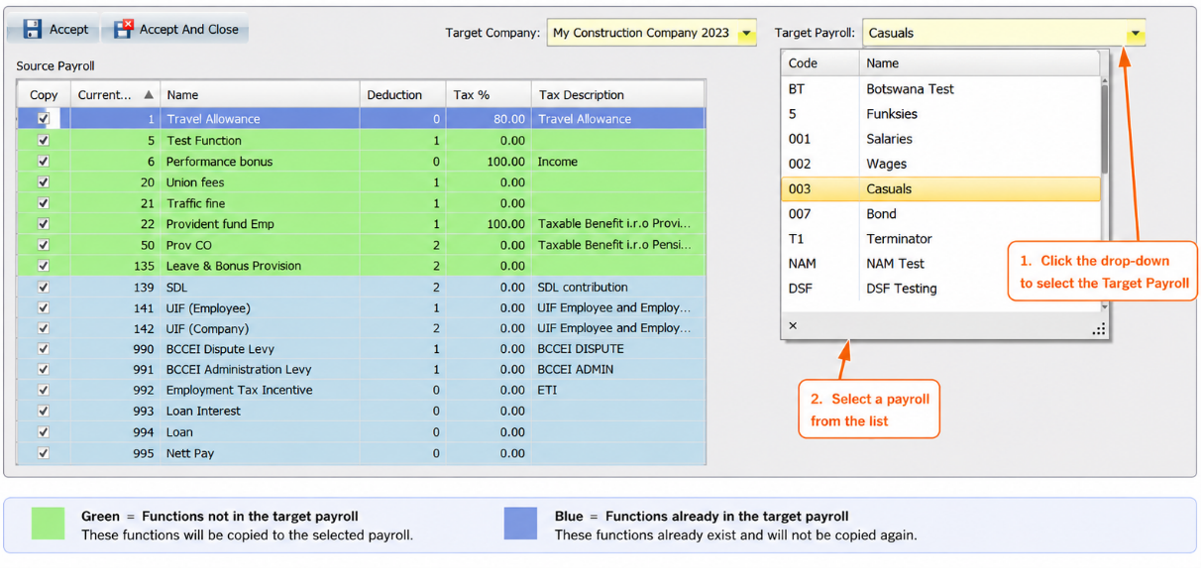
Select the company and payroll from which you would like to copy functions. Next, choose the target company and payroll that will receive the functions.
The system uses colour indicators to make the process easier:
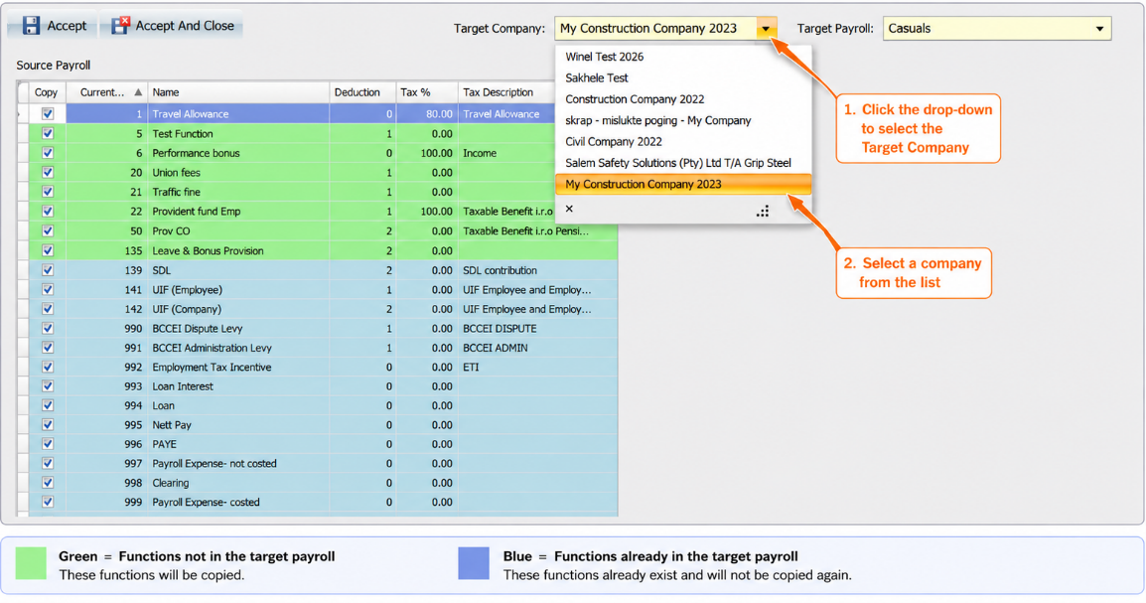
Once the desired company and payroll have been selected, the functions are automatically copied and activated in the target payroll. To complete the process, click Accept or Accept and Close.
Key Benefits
The Copy Payroll Functions Setup feature offers severaladvantages:
With this new functionality, EJM Payroll continues to deliver practical solutions that help users streamline their payroll processes and improve productivity.